






Instructions
On PC:
- WASD — move
- Mouse — look around and shoot
- 1 / 2 / 3 — switch weapons
- 4 — throw a grenade
- 5 — throw a cat
- E — pick up items
- R — reload
- Space — jump
On mobile:
- Use the left joystick to move
- Swipe the right side of the screen to look around
- Tap on-screen buttons to jump, pick up items, and perform other actions
What is Zomblox?
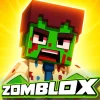
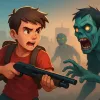
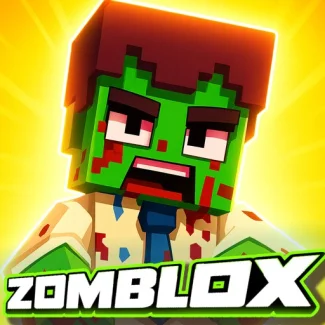
Zomblox is a free FPS shooter that combines elements from CS, Minecraft, and Roblox. In this thrilling game, you must survive in a school overrun by zombies, rescue your friends, and engage in pixelated chaos. Be wary of Zombalina Teachrina, the teacher turned zombie!
Gameplay & Features
Catch memes and blast the undead in this fun and unblocked online game. Experience the best browser gameplay as you navigate through the school, using various weapons to fend off the zombie horde.
Related & Series Games
If you enjoy Zomblox, check out these exciting titles: Cowboy VS Zombie Attack, Plants vs Zombies, Zombie Killer, Impostor Zombies, SWAT vs Zombie, and Zombotron Re-Bot. Each game offers unique challenges and fun gameplay, perfect for fans of the zombie genre.
Tips & Strategies
Utilize your surroundings for cover and keep moving to avoid zombie attacks. Switch weapons frequently to adapt to different combat situations. Always stay aware of your ammunition and pick up items whenever possible to gain an advantage.
FAQ
Is Zomblox free to play?
Yes, Zomblox is completely free to play online.
Can I play Zomblox in my browser without downloading?
Absolutely! Zomblox is a free HTML5 game that requires no download.
Is Zomblox unblocked at school?
Yes, you can enjoy Zomblox as it is an unblocked game, making it accessible at school.
| Game Name | Zomblox |
|---|---|
| Rating | ⭐ Has not been voted yet. (0 Votes) |
| Released | |
| Technology | HTML5 |
| Platform | Playable in your browser on desktop, mobile, and tablet devices |
| Game Mode | SinglePlayer |
| English | Zomblox |


